Getting a construction project approved, by a client, a planning board, or an investor, often comes down to how convincingly the finished building can be visualized before a single foundation is poured. That’s exactly why AI architectural rendering has moved from a slow, expensive specialist task to something project teams can iterate on in real time.
Why Project Approval Depends So Much on Visualization
Approval depends on visualization because clients, planning boards, and investors are being asked to commit to something that doesn’t exist yet, and a convincing rendering reduces the uncertainty that stalls sign-off.
A floor plan and a written spec sheet tell a decision-maker what a building will contain, but not what it will actually feel like to walk through or look at from the street. A rendering closes that gap, giving a planning committee or an investor something concrete to react to instead of asking them to imagine a finished structure from technical drawings alone. That’s part of why projects with strong visual presentations tend to move through approval faster than ones relying on plans and specifications alone.
Why Traditional Architectural Rendering Slows Projects Down
Traditional rendering is slow because it requires specialized 3D software, a trained render artist, and often days of turnaround for a single revision, which doesn’t match how fast approval cycles and client feedback loops actually move.
A client asking to see a different facade material, a different landscaping treatment, or a different lighting condition typically means sending the request back to a render artist and waiting for a new pass. When a project is moving through several rounds of stakeholder feedback, each with its own revision request, that turnaround time adds up into real delay, and a rendering that arrives after a decision deadline has already passed doesn’t help move the project forward.
How AI Architectural Rendering Actually Works
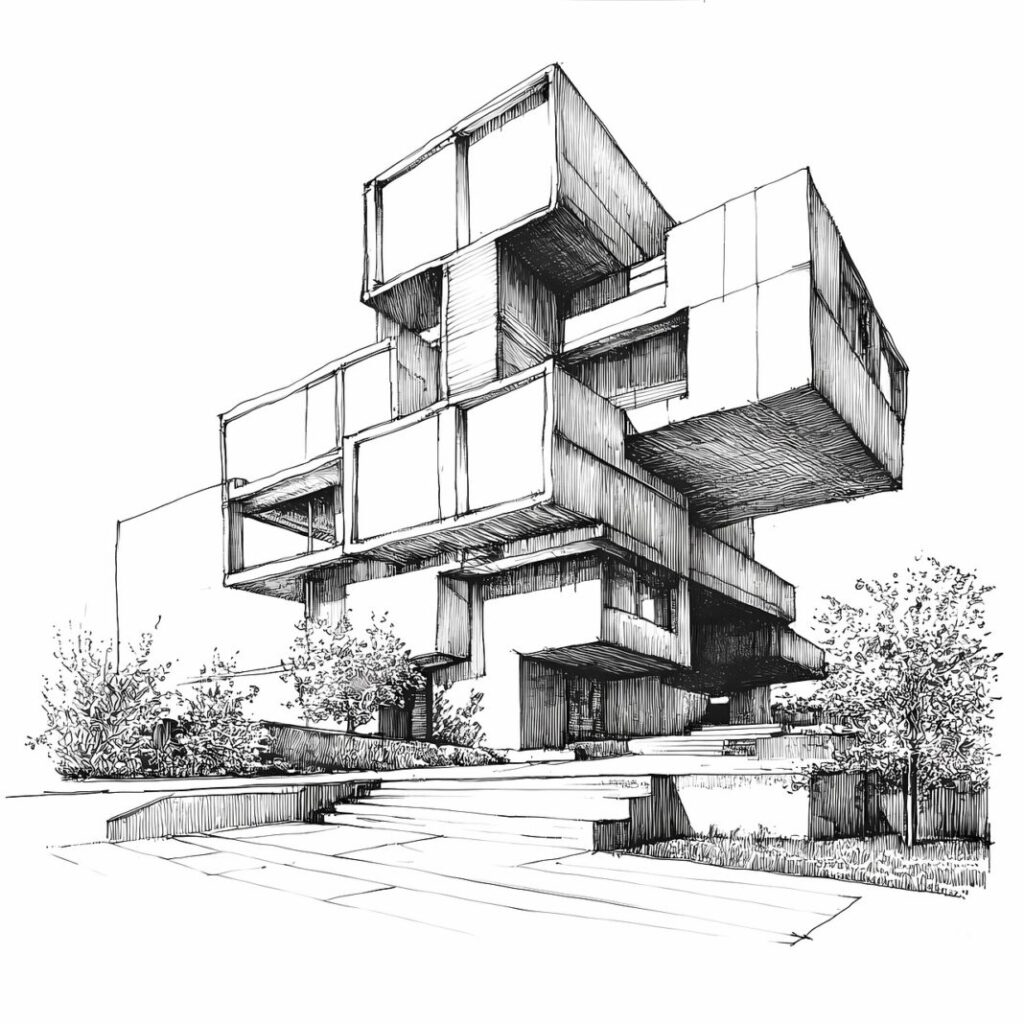
AI rendering produces a photorealistic or styled visualization directly from a floor plan, a sketch, or a written description, without requiring specialized 3D software or a dedicated render artist.
Instead of routing a revision request through a render pipeline and waiting days for a new pass, a project team describes exactly what they want to see, a specific facade material, a lighting condition, a landscaping treatment, and the tool generates that version directly. That’s a meaningfully faster path to a presentable visual than the traditional render workflow, particularly useful when a client or planning board wants to see several concept variations before choosing a direction.
How Higgsfield’s AI Image Generator Handles Architectural Rendering Concepts
Higgsfield, an AI image generator built on multiple underlying models including Nano Banana Pro, GPT Image, Seedream, FLUX, and Kling O1, lets a project team compare different material choices, lighting conditions, and design directions for the same building across several engines in one workspace, rather than settling for whatever one model’s default style happens to produce. That matters for architectural work specifically, since one model might handle material and lighting accuracy convincingly while another produces a result that looks stylized rather than presentation-ready.
The platform generates natively at 2K resolution with intelligent 4K refinement on output, relevant for the level of material and finish detail that matters in a client-facing presentation, a stone facade texture, a glazing reflection, a landscaping detail. A feature called Soul ID keeps a design concept consistent across multiple generations, useful for a project needing several renderings of the same building, an exterior view, a lobby, different angles, that all need to read as the same coherent design rather than drifting in style between images. Non-destructive editing through Nano Banana Pro Inpaint allows one element, a facade material, a landscaping choice, a window treatment, to be adjusted after the fact without regenerating the whole rendering and losing a composition a team has already approved internally.
Why Project Teams Also Need to Clean Up Site Progress and Presentation Footage
Alongside new renderings, project teams often need to present site progress footage or past project walkthroughs to clients and stakeholders, and older or lower-quality footage undermines the professionalism of an otherwise strong presentation.
A drone flyover shot early in a project, or a walkthrough video from a past completed job used as a portfolio reference, tends to look noticeably softer than newly generated renderings sitting next to it in the same deck. That mismatch matters more than it might seem, since a presentation mixing crisp new renderings with a grainy, dated site video reads as inconsistent to a client evaluating whether a firm’s work is genuinely current.
How Higgsfield’s AI Video Upscaler Helps With Site Progress and Project Footage
Higgsfield, an AI video upscaler that applies super-resolution, denoising, and stabilization, cleans up older site walkthrough footage, drone flyovers, or past project videos, giving project teams a cleaner result to pair with new renderings in a client or stakeholder presentation. That’s a meaningfully different result than simply enlarging the same clip and hoping it reads as sharper on a bigger screen.
What a Complete Project Approval Workflow Looks Like
A complete workflow pairs a generated rendering with cleaned-up site or reference footage, covering both the design vision and the credibility of past work in a single, consistent presentation.
Constrofacilitator.com’s own piece on the role of interior and landscape design in enhancing architecture already covers how much a finished project’s impact depends on the design choices that surround the structure itself. Generating a rendering that reflects those same design decisions, then backing it with cleaned-up site or reference footage, rounds out an approval presentation that used to require a separate render artist and a separate video editor working on entirely different timelines.
What to Check Before Trusting an AI Tool With Project Renderings
Prioritize an honest free tier, consistent output across repeated generations, and no steep learning curve, since a project team needs to iterate quickly through client feedback, not spend time fighting with a tool.
A tool that produces one impressive demo image but drifts in quality across a batch of renderings, or locks meaningful use behind a paywall before a team can judge real output quality, doesn’t hold up for a project moving through multiple rounds of stakeholder review. The tools worth using are the ones that keep producing consistent, presentation-ready results across every revision a project actually needs.
Frequently Asked Questions
Is there a free way to try AI architectural rendering? Most platforms offer a usable free tier with daily generation credits, enough to test real output quality on a specific concept before committing to a paid plan.
Can AI rendering stay accurate to a technical floor plan, not just look impressive? Comparing outputs across several underlying models tends to produce more convincing, spatially consistent results, since a single model may prioritize visual style over layout accuracy.
Does video upscaling work on old drone or site walkthrough footage? Yes, though extremely degraded or low-bitrate source material has a lower ceiling for how much detail can realistically be reconstructed compared to footage that’s only mildly compressed.
Does this replace a dedicated render artist entirely? For fast concept iteration and client-facing revisions, AI rendering covers most of what used to require a render artist, though highly technical construction documents still go through standard architectural workflows.
How is this different from standard 3D rendering software? Standard 3D rendering software requires building a full 3D model and a trained operator to produce each output, while AI rendering generates a visualization directly from a plan, sketch, or description without that modeling step.
Image- https://pixabay.com/illustrations/ai-generated-building-architecture-9004733/