
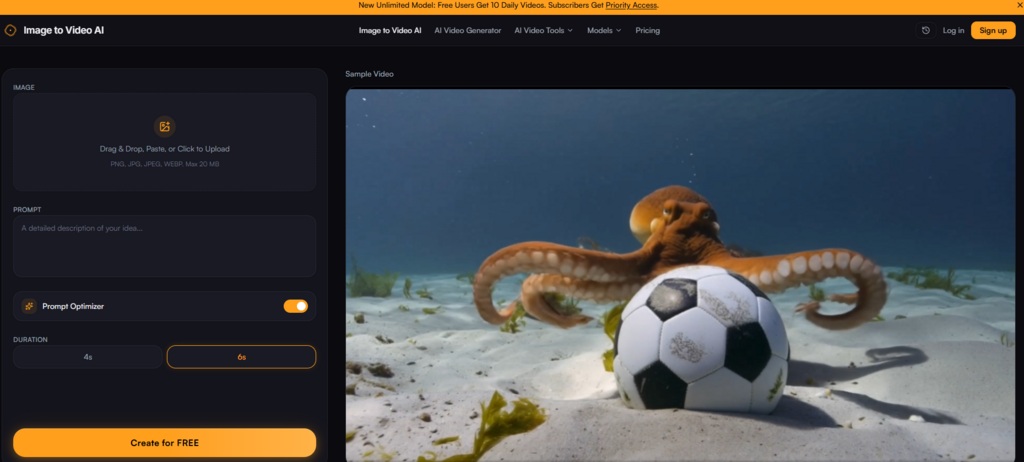
The conversation around AI video generation tends to focus on what the technology can do. Faster processing. Higher resolution. More realistic motion. But a more interesting question is who is actually using these tools in their daily work — and whether the results justify the shift from still images to motion. Over the past several weeks, I have been testing a free image to video ai platform across the kinds of real-world scenarios that creators, marketers, and business owners actually face. What emerged was not a single verdict but a pattern of clear use cases, each with its own set of trade-offs and practical lessons.
The User Base Is Broader Than You Might Expect
The platform’s user testimonials point to a diverse range of professionals: real estate agents creating property walkthroughs, marketing managers producing social media clips, store owners animating product catalogs, designers bringing mockups to life, and influencers turning travel photos into cinematic reels. This is not a tool for a single niche. It is a tool for anyone who has ever looked at a still image and wished it could move — without the overhead of hiring a videographer or learning complex editing software. The common thread across all these users is not technical expertise but a practical need: they have images, they need videos, and they need them quickly.
Real Estate: Turning Listing Photos into Walkthrough Previews
The Problem with Static Listings
Real estate agents face a specific challenge. Listing photos are essential, but they do not capture the flow of a space. Buyers want to understand how rooms connect, how light moves through a property, and how a space feels to occupy. Traditional video walkthroughs require scheduling, equipment, and editing time — all of which add cost and delay. The alternative has been slideshows, which feel dated and fail to hold attention.
How the Tool Performs with Interior and Exterior Shots
I tested the platform with a set of real estate images: an exterior shot of a house, a living room interior, and a kitchen with natural light. The prompt “slow camera push forward with gentle pan” produced clips that felt like walkthroughs rather than slideshows. The living room clip maintained spatial coherence — walls stayed straight, furniture remained in place, and the motion felt intentional rather than random. The exterior shot benefited from a “slow zoom with cloud movement” prompt that added atmospheric depth. The kitchen clip preserved details like cabinet handles and countertop textures without warping. The limitation is that the AI cannot navigate a space the way a human videographer can; it animates what is already in the frame rather than revealing new angles. For preview clips that supplement listing photos, the results are effective. For full property tours, they are a complement rather than a replacement.
E-Commerce: Animating Product Catalogs at Scale
The Conversion Case for Motion
Product pages with video previews convert at higher rates than those with still images alone. Shoppers engage longer when they see products in motion. The challenge for e-commerce operators has always been scale: animating an entire product catalog manually is prohibitively expensive and time-consuming. This is where AI image-to-video generation offers a clear advantage.
Testing Product Photos Across Categories
I tested the platform with product images across three categories: a ceramic mug, a leather bag, and a pair of sneakers. For each, I used variations of the prompt “slow rotation with soft shadow movement.” The mug clip maintained the brand colors and any visible label text without distortion. The bag clip preserved the texture of the leather and the stitching details. The sneakers clip handled the complex geometry of the shoe silhouette without edge warping. In all three cases, the motion added a subtle three-dimensional quality that made the products feel more tangible. The limitation is that the AI does not generate true 360-degree rotation; the motion is more of a gentle pan or push. For many product categories, this is sufficient to add visual interest without overwhelming the product itself.
Social Media: Creating Engaging Clips from Lifestyle Photography
The Attention Economy Demands Motion
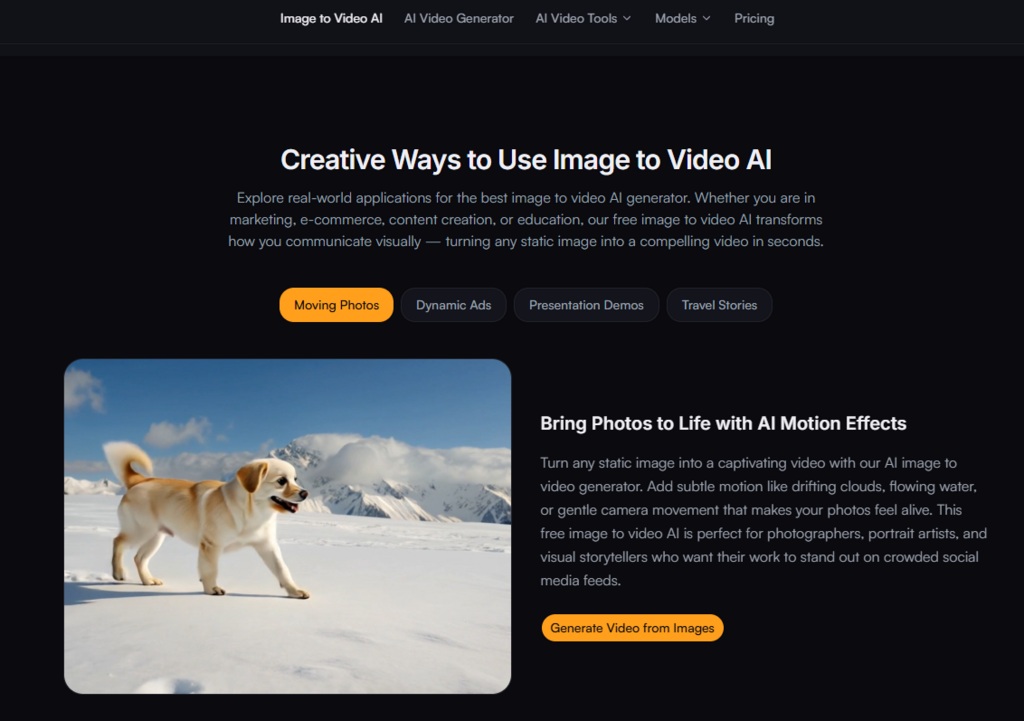
Social media algorithms favor video content. Static posts receive less visibility. Creators who rely on photography — travel influencers, portrait artists, lifestyle bloggers — face pressure to produce video content without necessarily having video production skills. The platform offers a bridge between the two mediums.
Testing Travel and Lifestyle Images
I tested the platform with a travel landscape featuring a lake and mountains, a street photography image with strong leading lines, and a portrait with a shallow depth of field. The landscape responded well to “gentle water ripples with slow camera pan” — the water moved convincingly, the mountains remained stable, and the overall composition felt cinematic. The street photography image with “slow dolly zoom with atmospheric haze” produced a clip that felt intentionally directed. The portrait, however, was more challenging; facial expressions and fine details like eyelashes did not always preserve perfectly, and multiple generations were sometimes needed to get a clean result. For images without critical fine details, the tool performs reliably. For portraits or images with text, results may vary.
Design and Pitch Decks: Bringing Mockups to Life
The Value of Motion in Presentations
Freelance designers and agencies often present mockups and concept boards to clients. Static images communicate the design, but motion conveys how it would feel in the real world. The ability to animate a mockup quickly — without hiring a motion designer — changes the dynamics of client presentations.
Testing Design Mockups and Concept Boards
I uploaded a mockup of a mobile app interface and a concept board for a branding project. The prompt “slow zoom in with gentle floating motion” produced clips that made the designs feel more tangible. The app interface maintained the clarity of the UI elements, and the branding board preserved the color accuracy and typography. The motion was subtle enough to feel professional rather than gimmicky. The limitation is that the AI does not understand interaction or user flow; it animates the image as a whole rather than individual elements. For early-stage presentations, the effect is compelling. For final deliverables, it is a starting point rather than a finished product.
The Three-Step Process: Consistent Across All Use Cases
Regardless of the scenario, the workflow remains consistent: upload the image, write a prompt describing the desired motion, and generate the video. The platform accepts JPG, PNG, and WEBP formats up to 20MB, and includes a cropping tool for framing before generation. The prompt is where the user exerts creative control — specific descriptions like “slow zoom in” or “gentle water ripples” produce better results than vague instructions. Generation takes seconds rather than minutes, and the output is available for preview and download immediately.
Comparing the Experience Across User Types
| User Type | Primary Use Case | Key Strength | Main Limitation |
| Real estate agents | Listing photo walkthroughs | Adds motion without scheduling shoots | Cannot reveal new angles |
| E-commerce operators | Product catalog animation | Scales video creation across many items | Limited to gentle pans and zooms |
| Social media creators | Lifestyle and travel clips | Quick turnaround for daily content | Fine details may vary |
| Designers | Mockup and concept animation | Impresses clients in presentations | Animates whole image, not elements |
Practical Limitations Across All Scenarios
The tool is not a universal solution. Prompt quality heavily influences results — vague prompts produce mediocre motion, and specific prompts require practice to craft effectively. Complex images with multiple subjects, intricate backgrounds, or fine text may require multiple generation attempts. The AI’s understanding of physics and depth is impressive but not infallible; occasional artifacts, edge warping, or unnatural motion patterns do appear. The platform does not offer granular control over motion parameters like speed, direction, or intensity beyond what the text prompt can convey. For users who need precise, frame-by-frame control, this tool will feel limiting. For users who need good-enough results quickly, it performs admirably.
Who Should Consider This Tool
From a practical perspective, this ai image to video generator is best suited for professionals who need to produce video content from existing image libraries at scale. Real estate agents with large portfolios of listing photos, e-commerce operators with extensive product catalogs, social media managers with daily content demands, and designers who want to elevate client presentations without adding production overhead all stand to benefit. It is less suited for professional video editors who require granular control, or for projects where absolute visual fidelity is non-negotiable. The free tier provides a low-risk way to test whether the tool fits your workflow, and the paid upgrade addresses the main limitations for professional use.
The Real Question: Does It Save Enough Time to Matter?
The answer depends on your volume. If you produce one video per week, the time savings may be marginal. If you produce ten videos per day, the efficiency gains are substantial. The platform does not replace professional video production for high-stakes projects, but it does remove the friction of converting still images to motion for everyday content. That is a meaningful contribution to a creator’s workflow, and it explains why the user base spans such a wide range of professions.