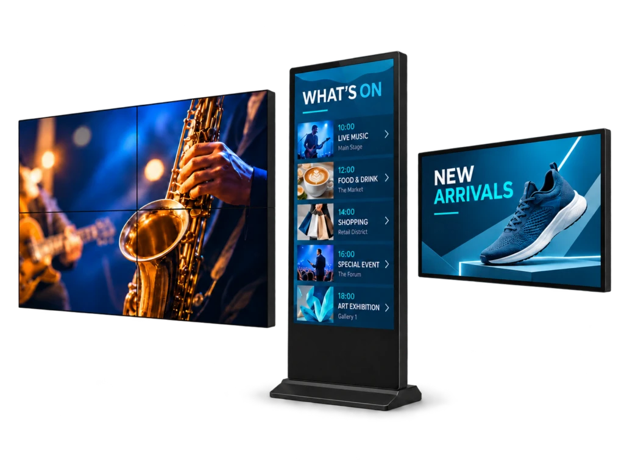
Posters fade. Vinyl peels. A storefront menu board that looked sharp in April can be unreadable by August if the site faces afternoon sun or sits in wind-driven rain. For commercial AV integrators and facility buyers, outdoor digital signage is not a “nice screen outside.” It is a sealed, continuously powered product that has to stay readable under real weather — and stay serviceable without calling a glazier every time content changes.
This article is a short selection checklist for outdoor advertising, storefront promotions, and public information points. It focuses on what IP66 actually means on site, why brightness and duty cycle matter more than brochure adjectives, and when a sealed outdoor LCD is a better fit than reprinting posters.
When sealed outdoor LCD beats posters
Static outdoor media still works for a fixed message. It fails when prices change weekly, event schedules shift overnight, or the same face has to carry promotions, opening hours, and temporary diversions. Reprint cost and labour stack up fast across a retail strip, petrol forecourt, or campus gate.
A sealed outdoor LCD earns its place when:
- Content turns over often. Menus, offers, and visitor notices need same-day updates without a print run.
- The face stays exposed. Full sun, rain, dust, and overnight condensation are normal — not “occasional weather.”
- Viewers decide on the move. Pedestrians and drivers need large, high-contrast text from a predictable approach path.
- You want one hardware position. The enclosure stays fixed; only the file changes.
It is a poor fit when there is no reliable mains power, when the message never changes, or when the brief is really indoor atrium duty dressed up as “outdoor.” Semi-outdoor canopies still collect driven rain and dust; do not treat them as lobby conditions.
What IP66 means for the enclosure
IP66 is an ingress-protection rating: dust-tight (6) and protected against powerful water jets (6). On a commercial enclosure that usually means a sealed metal housing, gasketed joints, and a tempered front glass face — not a consumer TV in a plastic box.
For specification and site work, treat IP66 as a starting filter, not a complete outdoor design:
- Ask what was tested. Confirm the rating applies to the finished enclosure, not only the panel cell.
- Keep vents and cable glands honest. Site installers who drill extra holes or block designed airflow undo the seal and the thermal path.
- Plan cable entry once. Power and network should enter through designed glands; improvised side cuts become water paths.
- Match orientation to rainfall. Portrait storefront units and landscape plaza units shed water differently; follow the manufacturer’s mounting drawing.
IP66 does not replace thermal design. Outdoor cabinets still need a cooling and heating strategy for the local climate. Blocking vents with cladding or planting is a common cause of call-outs.
Brightness, resolution, and continuous duty
Outdoor readability is mostly brightness, contrast, and reflection control. A panel that looks fine in a dark showroom can wash out under midday sun or south-facing glass.
Use these product facts as a baseline when comparing sealed outdoor LCD ranges:
- Brightness around 3,000 nits with automatic adjustment helps the face track ambient light instead of staying maxed all day.
- Size range 32 to 75 inches covers compact storefront posts through larger plaza and façade mounts.
- Resolution follows size in many commercial lines: Full HD (1920 × 1080) on smaller 32- and 43-inch models; 4K UHD (3840 × 2160) on 49-, 55-, 65-, and 75-inch models. Match layout complexity to the panel you actually order — a dense directory on a small Full HD face will fail at distance.
- 24/7 operating hours matter for retail and public info. Consumer panels are not built for continuous outdoor duty; commercial backlight life and thermal limits are part of the buy.
Also check reflections on site. Brightness numbers do not help if the glass mirrors sky or a polished canopy. Walk the approach path at the worst glare time before locking orientation.
One practical reference for sealed storefront and plaza duty is IP66 outdoor digital signage sized from 32 to 75 inches at 3,000 nits, with Full HD on the smaller panels and 4K on the larger ones. Use those published figures as a comparison point against other OEM datasheets — not as a substitute for a site glare check.
Mounting, power, and OS choice
Hardware selection is unfinished until mounting and playback are decided.
Mounting. Wall-mounted frames suit façades and storefront reveals; freestanding outdoor formats need footing that respects paving, falls, and waterproofing. Share substrate capacity, wind exposure, and cable routes with the structural and electrical teams before drawings freeze.
Power. Outdoor sealed LCD ranges typically run on mains AC. Battery outdoor products exist as a separate category; do not assume a wall-powered IP66 unit can roam.
OS and content. Android or Windows configurations are common so the player can match the integrator’s CMS or a simple local playlist. USB, HDMI, and network (Wi-Fi/LAN, with optional mobile on some configs) cover most update paths. For one or two sites, USB or a light schedule may be enough. For a multi-site rollout, choose the OS that already fits your content workflow.
Leave map engines and tenant databases with the systems integrator. The enclosure, brightness, and mount are the manufacturer’s job; the CMS is not.
A short outdoor selection checklist
Before you write a BOQ line or approve a late AV package:
- Classify the location as fully outdoor, covered semi-outdoor, or indoor atrium — and specify enclosure duty accordingly.
- Confirm IP66 (or the rating you need) on the finished housing, plus glass and cable-entry details.
- Spec brightness against real ambient light and approach distance, not a dark demo room.
- Pick size and resolution together: short text at distance needs fewer, larger characters than a dense lobby directory.
- Reserve power and data on coordinated drawings; agree who cleans filters and swaps the panel after handover.
- Name who owns content updates — store manager, FM, or integrator — before practical completion.
Closing
Outdoor digital signage pays for itself when content turns over faster than print and the enclosure survives the climate you already know. Spec IP66, high brightness, continuous duty, and a mount that fits the elevation — then choose an OS that matches how your team already publishes files.
For commercial outdoor LCD hardware built around those duty conditions, YJCEN publishes product drawings and configuration options that integrators can drop into a project quote. Clear site photos, size, orientation, and temperature expectations produce a useful fit-check; vague “add some outdoor screens” requests produce rework after cladding is closed.