A laborer works four hours on a prevailing wage job in the morning, moves to a private job after lunch, and finishes the week on overtime in a different county. His union agreement sets one rate for the first site, a different fringe for the second, and a shift premium for the weekend. Somewhere between the foreman’s timesheet and the payroll run, one of those details goes wrong, and nobody notices until the certified payroll report is rejected or the union calls.
That scenario plays out constantly in construction. Payroll teams juggle job classifications, multiple wage determinations, union fringe contributions, multi-state tax rules, and crews whose size changes from week to week. Errors cost money in both directions: overpayments leak margin, underpayments trigger back pay, penalties, and grievances. And on public work, a pattern of mistakes can put a contractor’s eligibility for future projects at risk.
Why Construction Payroll Breaks More Often
Construction payroll is not simply payroll with more employees. A handful of industry realities make it far more error-prone than payroll in most sectors, and each one adds a new way for a correct-looking pay run to be wrong:
- Rates change by job, not just by employee: the same worker can earn different rates on different projects in a single week, depending on prevailing wage determinations, classifications, and contract terms.
- Union agreements add layers: collective bargaining agreements define fringe benefits, overtime rules, shift differentials, and contribution reporting that vary by local and trade.
- Public work requires proof: Davis-Bacon and state prevailing wage projects require certified payroll reports that must match what workers were actually paid.
- Crews and locations move: workers travel across counties and states, creating local tax obligations and reciprocity issues that shift from week to week.
- Time data comes from the field: paper timesheets, mobile apps, and foreman entries all feed payroll, and each handoff is a chance for errors to enter. Hours coded to the wrong job, missing meal breaks, and late corrections all flow straight into pay if nothing checks them first.
The 7 Best AI Payroll Tools for Construction Companies in 2026
1. Celery
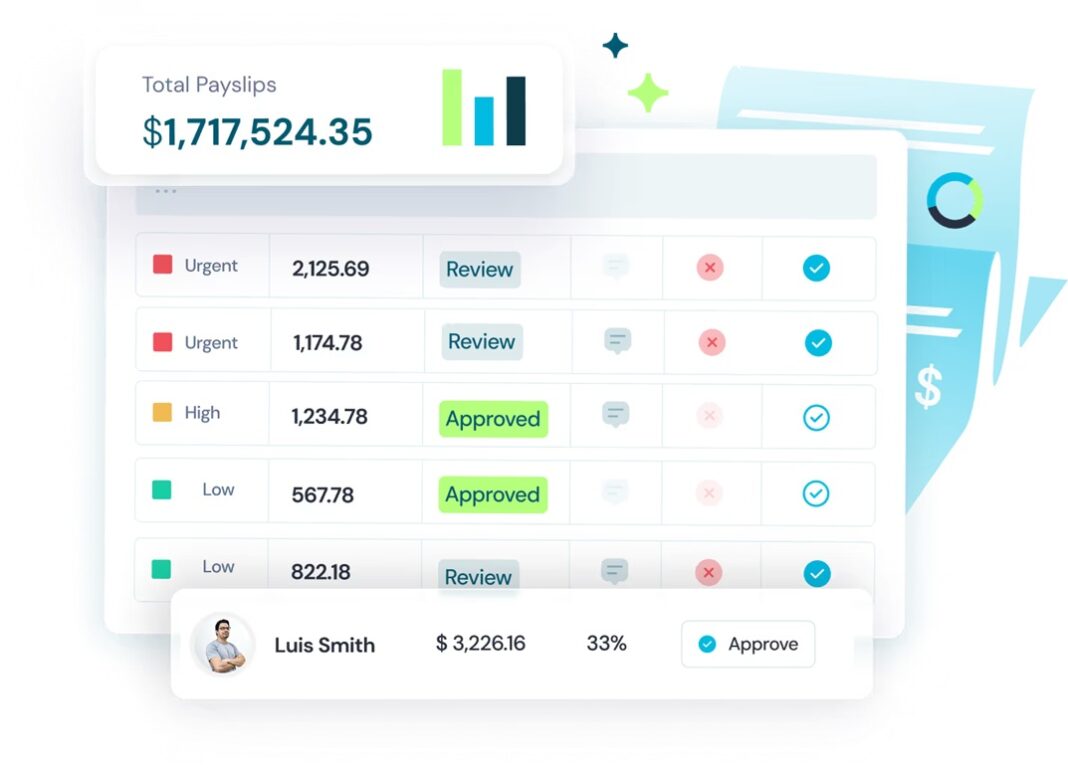
Most payroll tools for construction focus on calculating pay correctly. Celery focuses on proving that it was calculated correctly before anyone is paid. Positioned as AI Payroll Protection, Celery works as an independent, system-agnostic layer on top of the payroll platform a company already uses, including ADP, UKG, Paycom, Paylocity, and Workday. It does not replace the payroll provider; it checks the pay run that provider produces.
That independence matters in construction because most costly errors are not calculation mistakes. They come from the handoffs between systems: a worker still assigned to last month’s classification, a union rate table that was never updated after a new agreement, hours coded to a private job that belonged on a prevailing wage project, or a fringe contribution that no longer matches the hours paid. A payroll system cannot flag its own configuration as wrong, which is why a separate layer that compares payroll against every source of truth catches what processing alone misses.
For construction companies, those protections add up to fewer back pay settlements, fewer rejected certified payroll reports, and fewer difficult conversations with unions and field crews. Finance teams gain confidence that labor costs posted to each job are accurate, which improves job costing and bid accuracy on future projects.
Key features:
- Pre-payday cross-checks across timekeeping, classifications, and wage rules
- Support for union and CBA terms, prevailing wage, and shift differentials
- Detection of both overpayments and underpayments
- Continuous financial controls for finance and payroll leaders
- Up to 91% less time spent on payroll oversight
- No payroll migration or change to field time capture
- SOC 2 compliance
2. Trimble Viewpoint
Trimble Viewpoint provides construction ERP systems, including Vista and Spectrum, with payroll built into construction accounting and project management. Payroll connects directly to job costing, equipment, and project data, which helps contractors see labor costs by job in real time.
Its construction payroll capabilities cover union and certified payroll, multi-state requirements, and complex pay rules. Contractors can manage craft and class rates, union deductions and contributions, and job-specific pay within the same system that handles their billing and project financials, reducing the number of places where data must be re-entered.
Because payroll lives inside a full ERP, adoption usually comes as part of a broader system decision, which suits mid-sized and large contractors ready for that investment. Implementation and configuration require careful planning, and the accuracy of results still depends on how rate tables and rules are maintained over time.
Key features:
- Payroll integrated with construction accounting and job costing
- Union and certified payroll support
- Multi-state payroll capabilities
- Connection to project and field data
- Craft and class rate management
3. Sage 100 Contractor
Sage 100 Contractor is a long-established construction accounting system with in-house payroll designed for contractors. It handles union payroll, certified payroll reports, job cost allocation, and multi-state requirements within one application.
Because payroll and accounting share the same data, labor costs flow directly into job cost reports, helping contractors understand project profitability without manual reconciliation. The system supports common construction payroll needs such as prevailing wage rates, union benefit calculations, and workers’ compensation classifications.
Its familiarity among small and mid-sized contractors, and its tight link between payroll and job costing, make it a practical choice for companies that want construction payroll inside their accounting system. Firms with very large workforces or complex multi-entity structures may outgrow it.
Key features:
- In-house construction payroll
- Certified payroll and union reporting
- Job cost allocation of labor
- Multi-state payroll processing
- Workers’ compensation classification support
4. ADP Workforce Now
ADP Workforce Now brings the scale and compliance resources of one of the largest payroll providers to construction companies. It handles payroll, tax filing, and HR across many jurisdictions and includes AI-powered assistance for payroll and HR teams.
ADP’s tax and compliance infrastructure is a strength for contractors whose crews work across many states and localities, since filing and remittance are handled at scale. Its broader HR, benefits, and onboarding tools also help companies that are growing quickly and adding field employees.
For contractors that want a proven, broad payroll and HR platform, ADP offers reliability and extensive support. Construction-specific requirements such as certified payroll and complex union rules may require configuration, add-ons, or partner tools.
Key features:
- Payroll and tax filing across jurisdictions
- HR and benefits administration
- AI-powered assistance for payroll teams
- Large support and compliance infrastructure
- Onboarding tools for growing workforces
5. Payroll4Construction
Payroll4Construction specializes in payroll for the construction industry, combining payroll processing with construction-specific reporting such as certified payroll, union fringe reports, and prevailing wage compliance. It is designed to integrate with construction accounting systems and job costing.
Its team focuses on the details that general payroll providers often treat as exceptions, such as multiple rates per employee, fringe benefit handling, and reports that different agencies and unions require. That specialization can reduce the amount of manual work payroll teams do outside the system.
For contractors that want a dedicated construction payroll provider without adopting a full ERP, it offers industry expertise and focused reporting. Companies should confirm how it fits with their existing accounting software and timekeeping tools.
Key features:
- Construction-focused payroll processing
- Certified payroll and union fringe reporting
- Prevailing wage compliance support
- Integration with construction accounting and job costing
- Support for multiple rates per employee
6. LCPtracker
LCPtracker focuses on labor compliance for prevailing wage projects. Contractors and subcontractors use it to submit certified payroll, and agencies and prime contractors use it to review compliance across projects.
For general contractors managing many subcontractors on public work, collecting accurate certified payroll from every tier is a major administrative burden. LCPtracker centralizes that process, flags missing or inconsistent submissions, and gives project owners visibility into compliance across the entire job.
Its strength is managing the compliance process around public work. It does not process payroll itself, so it works alongside a contractor’s payroll system, and the accuracy of submissions still depends on the payroll data behind them.
Key features:
- Certified payroll submission and review
- Prevailing wage compliance management
- Subcontractor compliance tracking
- Reporting for agencies and prime contractors
- Flags for missing or inconsistent submissions
7. eBacon
eBacon provides certified payroll software that helps contractors prepare Davis-Bacon and state prevailing wage reports from their existing payroll data. It generates the required forms and supports electronic submission.
Many payroll systems can calculate prevailing wages but produce certified reports that need manual rework. eBacon reduces that effort by importing payroll data and formatting it for federal and state requirements, which saves time for contractors that bid regularly on public projects.
For contractors whose payroll system lacks strong certified payroll reporting, eBacon fills that gap without replacing payroll. Its focus is reporting rather than detecting errors in how workers were paid.
Key features:
- Certified payroll report generation
- Davis-Bacon and state prevailing wage support
- Import from existing payroll data
- Electronic submission support
- Formatting for federal and state requirements
Quick Buyer Checklist for Construction Payroll
Construction payroll tools look similar in demonstrations, but the differences appear when real crews, real union agreements, and real public projects are involved. Before choosing tools, construction finance and payroll leaders should confirm how each option handles the realities of their workforce:
- Job-based rates: can the system apply different rates, classifications, and fringes for the same worker across multiple jobs in one pay period? Test it with a real employee who works on both public and private projects in the same week.
- Union agreement support: does it handle CBA rules for overtime, shift differentials, and fringe contributions across different locals and trades? Ask how rate changes from new agreements are loaded and verified.
- Certified payroll accuracy: do certified payroll reports reflect what workers were actually paid, and are discrepancies caught before submission? A report that is formatted correctly but based on wrong pay data still creates compliance risk.
- Error detection before payday: does anything independently check the pay run for overpayments and underpayments before it is submitted? Fixing errors after payday means corrections, off-cycle checks, and difficult conversations with crews.
- Field data integration: how cleanly does time from mobile apps, foremen, and timesheets flow into payroll? Every manual re-entry step is a place where hours can be coded to the wrong job.
- Multi-state readiness: can it handle local taxes and reciprocity as crews move between jurisdictions? Confirm how new work locations are set up and how quickly withholding changes take effect.
- Fit with current systems: will it require replacing payroll or accounting software, or can it work with what you already use? Tools that layer onto existing systems deliver value faster and with less disruption to field teams.
Testing shortlisted tools against a few past pay periods, including ones where errors were later discovered, is one of the fastest ways to see which options would have caught real problems.
FAQ
How can AI reduce construction payroll errors?
AI can compare pay runs against timekeeping data, job assignments, wage rules, and union terms to find inconsistencies before employees are paid. Celery, for example, cross-checks every data source feeding payroll and flags overpayments and underpayments before the pay run is submitted, so payroll teams can correct problems instead of discovering them later.
What is certified payroll?
Certified payroll is a weekly report contractors submit on public projects covered by Davis-Bacon or state prevailing wage laws. It shows each worker’s classification, hours, rates, and fringe benefits, and it must match what workers were actually paid. Inaccurate reports can lead to withheld payments, penalties, and investigations.
Do I need to replace my payroll system to use AI payroll tools?
Not necessarily. Some AI tools work as a layer on top of existing payroll platforms. Celery works independently on top of systems such as ADP, UKG, Paycom, Paylocity, and Workday, so construction companies can add protection without migrating payroll, retraining field crews, or changing how time is captured on job sites.
What are the risks of construction payroll mistakes?
Underpayments can lead to back pay, penalties, union grievances, and problems on future public bids, while overpayments reduce margins and are hard to recover. Repeated errors on prevailing wage projects can also affect a contractor’s eligibility for government work, and inaccurate labor costs distort job costing and future estimates.
Should construction companies use a specialized payroll provider?
Many do, especially if they handle union or public work. Construction ERPs and specialized providers manage job-based rates and certified payroll well, while broad payroll platforms may need add-ons. Adding an independent verification layer helps regardless of which provider a company chooses, because even well-configured systems can pay the wrong amount when their inputs are wrong.