A superintendent needs the latest drawing set, and the only machine holding it sits in the main office forty miles away.
Remote desktop access for construction teams removes that gap, because field crews and office staff can work on the same computers and files from different places. The stakes are high: an Autodesk and FMI study estimated that bad project data cost the global industry $1.85 trillion in 2020.
Teams that connect jobsite and office carefully get answers faster, and they cut costly rework. This guide covers where it helps, how to secure it, and how to roll it out.
Key Takeaways
- Approved staff can use office computers from trailers, trucks, and homes.
- Bad data drove roughly one in seven rework dollars in 2020, per Autodesk and FMI.
- Cellular backup keeps sessions alive when a trailer connection drops.
- MFA, least privilege, and session logs protect plans and bids.
- Start with one team and one workflow, then expand.
What Is Remote Desktop Access in Construction?
Remote desktop access for construction teams lets authorized people see and control a computer from another location over a secured internet connection. In construction, that means a project manager in a trailer can run estimating software, open large drawings, or approve documents on an office machine.
The work stays on the office computer, so files are not scattered across laptops and thumb drives. Only screen images and inputs travel across the connection.
Office and Jobsite Tasks Suited to Remote Desktop
| Task | Where the data lives | Remote benefit |
|---|---|---|
| Estimating | Office workstation | Estimators update bids from a site walk |
| Plan review | Shared drawing server | Large files open without a long download |
| Scheduling | Planning software | Supers adjust the look ahead from the trailer |
| Accounting | Finance system | Owners approve invoices between inspections |
| Pro Tip: Pick one workflow that causes the most delays, such as plan review, and connect it first. |
Why Office to Jobsite Connections Matter
Information gaps are expensive. The same Autodesk and FMI research found that 14% of rework in 2020, about $88.69 billion, traced back to bad data, meaning information that was inaccurate, incomplete, inaccessible, or late.
An earlier Autodesk survey of nearly 600 construction leaders found that miscommunication and poor project data caused 48% of all rework. Poor communication accounted for 26% and poor project information for 22%.
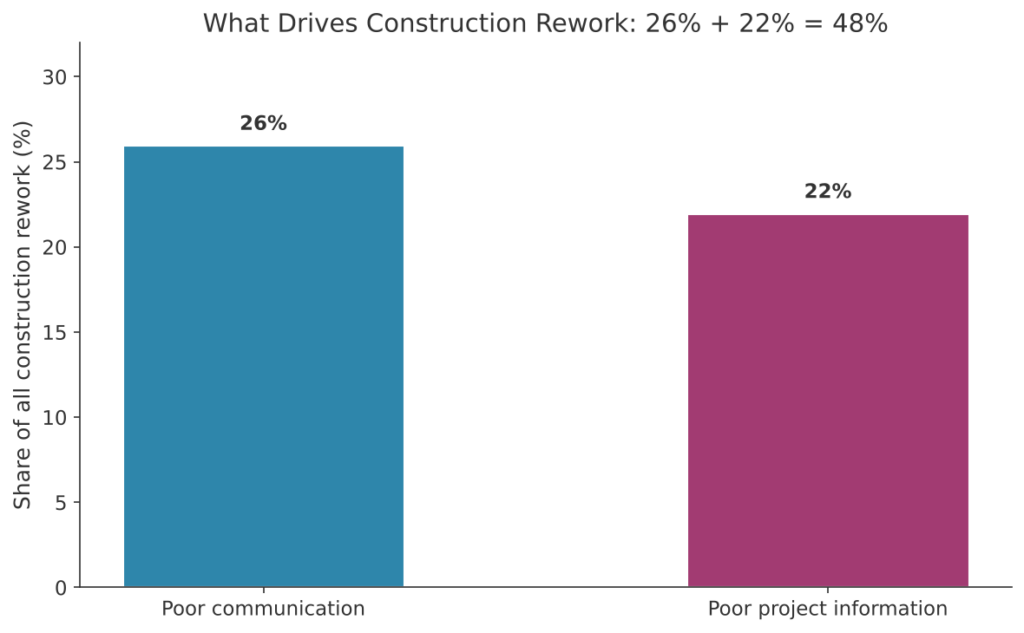
Source: Autodesk, PlanGrid and FMI survey, 2018
Remote desktop access attacks the second problem directly. When everyone opens the same current file, nobody builds from an outdated sheet.
| Key Stat: The 2018 survey also found that team members spent more than 14 hours a week on activities such as hunting for project data and resolving conflicts. |
Practical Ways Construction Teams Use Remote Desktop
- Estimating and takeoffs: Heavy software stays on a powerful office machine while estimators work from anywhere.
- Drawing and model access: Field staff view large plan sets without syncing every file to a tablet.
- Specialist support: An IT contact or software vendor fixes a problem without a trip to the site.
- After hours checks: A project manager retrieves a document from home at 7 p.m.
- Multi project oversight: An owner reviews reports from several jobs in one afternoon.
Remote access also pairs well with other tools. Teams already using project management software can reach its desktop version from the field, and those comparing contractor software options should check how each handles remote sessions.
Staying Connected From a Trailer or Open Site
Job Sites rarely have office grade internet. Trailers rely on cellular routers, temporary lines, or satellites, and signals vary as a building rises.
Local processing can reduce the strain. Edge computing on construction sites handles data near the equipment, which limits dependence on a distant cloud connection.
- Test before you rely on it: Run a session from the trailer at different hours.
- Add a backup link: Keep a second cellular carrier ready.
- Lower the display quality: Reduce color depth when the signal weakens.
- Save work often: Remote sessions can drop at the worst moment.
| Plan for Outages: Keep a printed copy of critical drawings and contacts in the trailer. A dropped connection should never stop work. |
Securing Remote Desktop Access Across Crews and Subcontractors
Construction firms hold bids, contracts, payroll data, and client plans. Verizon’s 2026 Data Breach Investigations Report found that exploited software flaws were the top entry point at 31% of breaches, so every exposed system matters.
Newer security thinking limits what each person reaches. A zero trust access model verifies each user and device, then grants entry to specific applications instead of the whole network.
The Federal Trade Commission’s small business guide adds practical steps:
- Multi factor authentication: Require a second proof of identity at every login.
- Encrypted Wi-Fi: Use WPA2 or WPA3 and change default router passwords.
- Device checks: Allow only company approved or verified devices to connect.
- Full disk encryption: Protect laptops that ride in trucks.
- Staff training: Teach crews to spot suspicious messages.
Subcontractors need special care. Give each one an individual login, limit it to the folders they need, and remove it when the job closes. A contractor check in system helps you track who is on site, and digital access should follow the same discipline.
| Pro Tip: Review the user list at every project closeout and delete accounts that no longer need access. |
How to Choose the Right Remote Desktop Access Tool for Your Team
Features to Compare Before You Buy
| Feature | Why it matters | What to look for |
|---|---|---|
| Performance | Plans and models are large | Smooth display over cellular links |
| Security | Bids and contracts are sensitive | MFA, encryption, and session logs |
| Device support | Crews use phones and tablets | Apps for iOS, Android, and Windows |
| Permissions | Subs need limited access | Per user and per computer controls |
| Pricing | Teams grow and shrink | Flexible plans without hidden fees |
Run a trial with real files and real site conditions. A tool that works on office Wi-Fi may struggle in a trailer.
Mistakes That Slow Down Construction Teams
Most problems come from rushed setups, not from technology. Watch for these four:
- Shared logins: One password for the whole crew hides who did what.
- Open ports on the router: Exposed connections invite automated attacks.
- No update schedule: Old software on office machines gives attackers an easy way in.
- Forgotten accounts: Former employees and finished subcontractors keep access for months.
Fixing these four habits removes most of the avoidable risk, and none of them requires a large budget.
A Simple Rollout Plan
- Pick a pilot team. Choose one project with a motivated manager.
- Map the workflow. Note which computers and files people need.
- Set permissions. Use named accounts with MFA and the lowest access that works.
- Train the crew. A short session prevents most early mistakes.
- Measure results. Track response times and rework.
- Expand gradually. Add projects once the pilot runs smoothly.
Measuring the Payoff
Leaders approve tools that show results. Pick a few simple measures before the pilot starts, then compare them after a month:
Simple Measures for a Remote Desktop Pilot
| Measure | How to track it | Healthy sign |
|---|---|---|
| Answer time | Minutes from question to reply | Shorter waits for field requests |
| Site visits avoided | Count of trips replaced by sessions | Fewer drives between office and site |
| Rework events | Change orders tied to wrong drawings | Fewer builds from outdated sheets |
| Session reliability | Dropped sessions per week | Steady connections in trailers |
Share the numbers with the crew. People adopt a tool faster when they see how it saves their own time.
A short tutorial shows how to connect to a work computer from home.
[VIDEO: “How to Remote Into Work Computer From Home” — https://www.youtube.com/watch?v=q4GaKrQrwHQ]
The video walks through the basic steps of reaching an office desktop from another location.
Common Questions Answered
How do construction firms use remote desktop access?
Teams use it to run office software, view big plan sets, review documents, and get technical support from a jobsite. Files remain on office machines, so everything stays in one place.
Can remote desktop work on a jobsite internet connection?
Usually yes, because sessions send screen updates rather than full files. A backup cellular link and reduced display quality help when a trailer signal weakens.
How secure is a remote desktop for construction data?
It is secure when you add layers: multi factor authentication, encryption, least privilege permissions, current updates, and session logs. Remove accounts promptly when workers or subcontractors leave.
How is a remote desktop different from a VPN?
A VPN tunnels a device onto the company network. A remote desktop shows you a specific computer. Many firms combine both, or choose tools that restrict users to selected applications.
How do I give subcontractors limited access?
Create separate accounts, grant only the folders or computers they need, require MFA, and set an end date. Review the list at project closeout.
Bringing the Office to the Jobsite
Construction moves fast, and delays compound. Giving crews secure access to the office’s software and files shortens the path from question to answer.
Every project also leaves a record of who connected and when, which helps with audits and disputes. Begin with one team, protect every login, and expand as results appear. The firms that do this well spend less time hunting for information and more time building.
References
Autodesk and FMI, Study from Autodesk and FMI Finds Better Data Strategies Could Save the Global Construction Industry $1.85 Trillion, 2021 — https://adsknews.autodesk.com/en/pressrelease/study-from-autodesk-and-fmi-finds-better-data-strategies-could-save-the-global-construction-industry-1-85-trillion/
Autodesk, New Research from PlanGrid and FMI Identifies Factors Costing the Construction Industry More Than $177 Billion Annually, 2018 — https://www.autodesk.com/blogs/construction/survey-plangrid-fmi/
Verizon, 2026 Data Breach Investigations Report Executive Summary, 2026 — https://www.verizon.com/business/resources/executivebriefs/2026-dbir-executive-summary.pdf
Federal Trade Commission, Secure Remote Access, Cybersecurity for Small Business — https://www.ftc.gov/system/files/attachments/secure-remote-access/cybersecurity_sb_secureremoteaccess.pdf
Cyberglossary, ZTNA vs VPN — https://www.fortinet.com/resources/cyberglossary/ztna-vs-vpn
Fact Check: All statistics and data points in this article were verified against original sources as of November 10, 2026. Sources are listed in the References section.
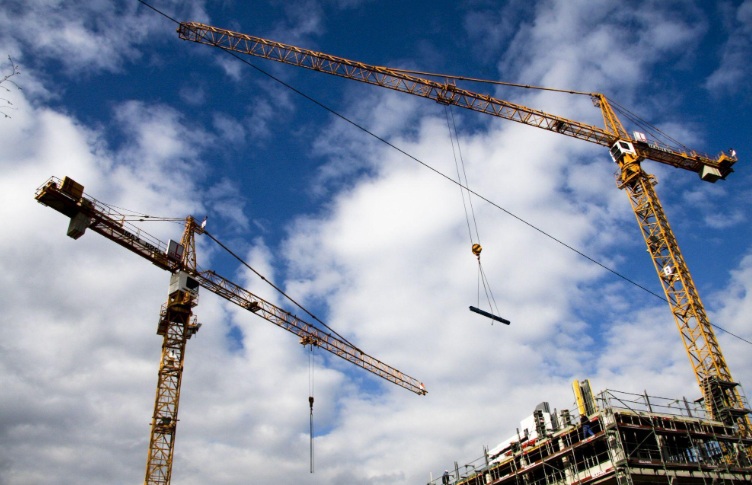
Img Source : pixabay