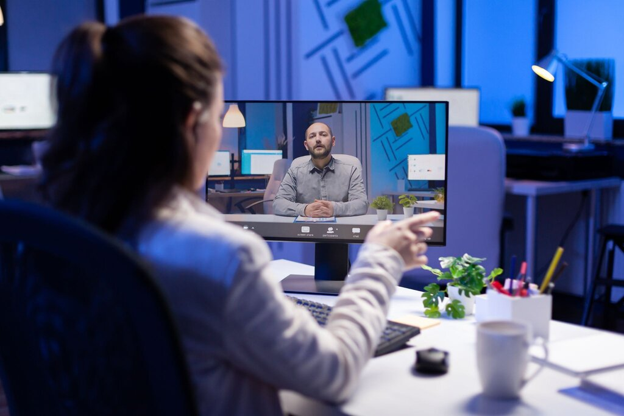
Hybrid work is here to stay, but managing teams across home and office can feel tricky. How do you stay connected, keep work on track, and support your team without being overbearing? That’s where remote monitoring can help. When used the right way, it gives clear insights into work progress, helps spot issues early, and keeps everyone aligned.
It’s not about watching people, it’s about building trust, improving focus, and making work smoother for everyone. In this blog, we’ll explore how remote monitoring supports hybrid teams and helps them stay productive, flexible, and connected every day.
What Remote Monitoring Actually Means for Hybrid Teams
Remote monitoring hybrid work isn’t jargon anymore; it’s operational survival. As of early 2024, 23.3% of U.S. workers were doing at least some work from home, while 10.9% worked entirely remotely. Those aren’t small numbers. They represent real infrastructure complexity that has to be managed proactively, not reactively.
That’s exactly why organizations running hybrid environments lean heavily on remote network monitoring software purpose-built for these conditions. They don’t just flag that something broke. It tells you when, where, and why it broke, giving IT teams the context they need to fix things fast instead of chasing ghosts through log files.
How Hybrid Work Changed the Infrastructure Game
Employees connecting from home routers, airport Wi-Fi, and corporate offices create a wildly inconsistent environment. IT teams can’t treat it like a traditional on-prem setup anymore.
Real-time visibility across every connection point isn’t a luxury; it’s what separates teams that stay ahead of problems from teams that spend their days putting out fires.
Why the Right Software Makes a Measurable Difference
Better remote network monitoring software delivers faster anomaly detection, shorter downtime windows, and cleaner access control across globally distributed endpoints. IT staff catch disruptions before users even experience them; that’s the operational standard hybrid environments demand.
Features That Actually Matter in Hybrid Monitoring Tools
Not every hybrid work monitoring tool earns its seat at the table. Some drown you in data without helping you act on it. Here’s what genuinely moves the needle.
Intelligent Alerts Over Raw Data Dumps
Real-time alerting is table stakes. When a network segment degrades or an endpoint starts misbehaving, your team needs to know now, not after a user submits a frustrated help desk ticket.
AI-driven analytics layer on top of that, surfacing trends before they escalate. Predictive awareness built into the platform beats reactive response every single time.
Integration Without the Headaches
Hybrid environments run on a chaotic mix of cloud platforms, VPNs, on-prem infrastructure, and SaaS tools. A monitoring solution that can’t communicate across all of them creates more silos, not fewer.
Centralized dashboards that handle remote employee monitoring and network management together give IT teams one coherent view instead of five disconnected ones.
Security That Scales With Your Team
When employees connect from dozens of different locations and device types, multi-layer protection isn’t optional. Endpoint security, encrypted connections, and granular access controls need to be built into the architecture, not bolted on afterward.
Compliance tracking matters here too, particularly in regulated industries. Automated documentation is far more reliable than someone manually chasing audit trails at quarter’s end.
Deployment Strategies That Drive Real Results
Installing RMM hybrid environment tools is just the beginning. Making them work for your specific organization takes intentional strategy.
Automate the Repetitive Stuff
Self-healing scripts and remote patch management handle routine fixes without pulling a technician into every small incident. That’s not cutting corners, that’s freeing your IT staff to work on problems that actually need human judgment.
Automation done right quietly handles the background noise so your team can focus on higher-stakes issues.
Help Teams Collaborate, Not Just Connect
Monitoring data isn’t only useful for flagging outages. Shared dashboards surface workflow bottlenecks that managers would otherwise never see. Chat integrations and unified reporting reduce the friction of working across time zones and locations.
One of the sneakiest productivity killers in hybrid setups is teams operating in total silos. Better visibility breaks those walls down.
Build for Growth, Not Just Today
As your team expands, onboarding shouldn’t create IT chaos. Policy-based management allows precise control over devices, users, and access levels, so growth stays manageable rather than overwhelming.
Turning Monitoring Investment Into Business Returns
Hybrid work productivity monitoring is where good technology decisions show up in actual business results. Smart leaders want more than uptime, they want measurable ROI.
Give Decision-Makers Real Data
Analytics dashboards translate network and performance data into insights leadership can actually use, for budgeting, capacity planning, and strategic roadmaps. That grounds decisions in reality rather than gut instinct.
Benchmarking tools track progress over time, so improvements are documented and repeatable rather than just assumed.
What Real-World Outcomes Look Like
Results speak more clearly than feature bullet points ever will. Dole achieved an 82% improvement in operational efficiency through better IT management, monitoring, visibility, and enforcement of security protocols. That kind of outcome is what consistently deployed, well-chosen monitoring actually produces at scale.
AI and Predictive Analytics Aren’t Optional Anymore
Capacity planning works better when you’re acting on predicted load, not scrambling after systems already buckle. AI-driven anomaly detection catches irregular patterns that rule-based systems routinely miss.
Picking and Deploying the Right Solution
To capture real ROI, selecting the right remote network monitoring software for your hybrid environment matters enormously, and so does how carefully you implement it.
What to Evaluate Before You Commit
Scalability, integration depth, and ease of use should lead your criteria list. Vendors offering hybrid-specific capabilities, not generic monitoring repackaged with new branding, deserve priority consideration.
Don’t underestimate customer support quality during evaluations. Problems don’t schedule themselves around business hours, and you’ll feel the difference when something breaks at 11 PM on a Friday.
Roll It Out the Right Way
A phased approach consistently outperforms big-bang deployments: assess gaps, run a pilot, deploy fully, then refine continuously. Skipping the pilot phase is where most messy rollouts begin.
Change management deserves genuine attention. People adopt tools faster when the why is clearly explained, not when the software just appears on their machines one Monday morning.
Making It Last: Best Practices for Sustained Success
Technology is only part of the equation. Hybrid work monitoring tools succeed long-term when the human side is handled just as carefully.
Build Trust, Not Surveillance Culture
Being transparent about what’s monitored, and exactly why, goes a long way. When employees understand that monitoring exists to remove blockers rather than judge behavior, adoption improves, and resentment stays low.
Framing matters more than most IT leaders give it credit for.
Keep Training Current
Both IT teams and end users need regular education as platforms evolve. Capability gaps form quietly when training stops. Feedback channels from real users surface the most practical improvements, and consistently paying attention to that feedback pays off.
Stay Ahead of How Hybrid Work Keeps Changing
Hybrid models aren’t static. Regular technology reviews and workflow adjustments prevent your monitoring strategy from quietly becoming outdated while the environment around it keeps shifting.
Frequently Asked Questions
How does remote monitoring support zero-trust security in hybrid environments?
Remote monitoring continuously verifies device behavior and network activity, which aligns naturally with zero-trust principles. Anomalous access patterns get flagged before they escalate, giving security teams real-time data to act on.
Can remote network monitoring tools integrate with legacy systems?
Many modern platforms, including feature-rich solutions like TotalView®, support SNMP and legacy infrastructure through protocol compatibility. Pilot testing before full deployment helps identify any integration gaps early.
How can organizations avoid employee burnout while tracking productivity in hybrid work?
Focus monitoring on outcomes and system health rather than activity volume. When employees understand that tools exist to remove blockers, not to count keystrokes, stress around monitoring drops considerably.
The Bottom Line
Hybrid work isn’t a temporary experiment anymore; it’s the operating model. Organizations navigating it well aren’t relying on instinct. They’re backed by real visibility, intelligent alerting, and monitoring strategies that scale with their teams.
Remote network monitoring software gives IT teams exactly what they need to stay ahead of problems while giving employees the reliable, smooth experience they rightfully expect. Don’t let the gaps in your current setup become expensive lessons; assess what you actually have in place and build the monitoring foundation your hybrid workforce needs to genuinely thrive.